A desktop app for
your coding agents.
Carbon puts Claude Code, Codex and Grok in one window — the official programs you already installed, on the accounts you already have. No API key, no per-token billing, nothing new to buy. Plan with one model and hand the build to another, run several at once on separate branches, and review the diff without leaving the conversation.
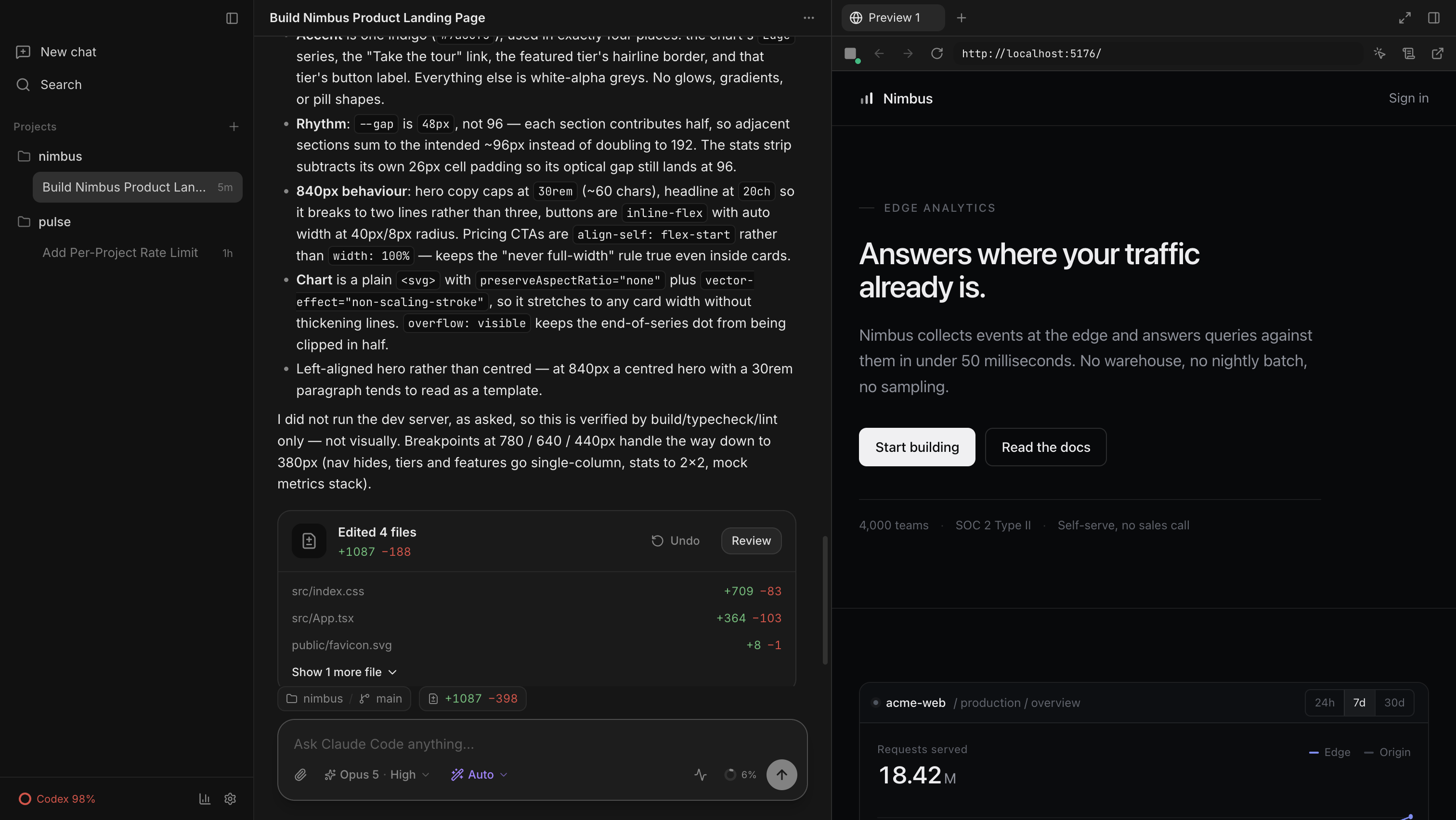
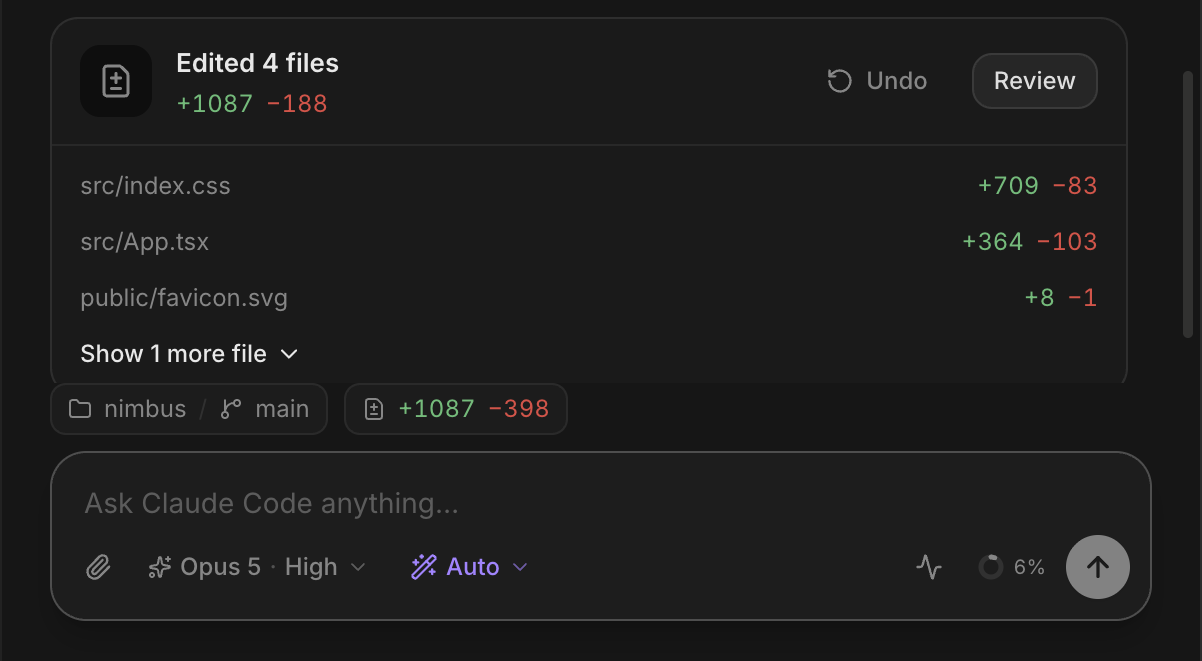
One prompt, one turn — the card names every file it touched, and the file it rewrote is open in the editor beside it.
It runs the official agents.
Carbon has no AI of its own. It runs the official Claude Code, Codex and Grok programs you already installed, signed in with the accounts you already have — so the agent answering here is the same one that answers in your terminal, and the work shows up in the same history. No API key, no per-token billing, nothing new to buy.
- Signs in with the claude, codex and grok accounts you already use.
- Swap from one agent to another mid-conversation — the one handing over writes a summary the next one picks up.
- Change the model, how hard it thinks and how fast it answers, without losing the thread.
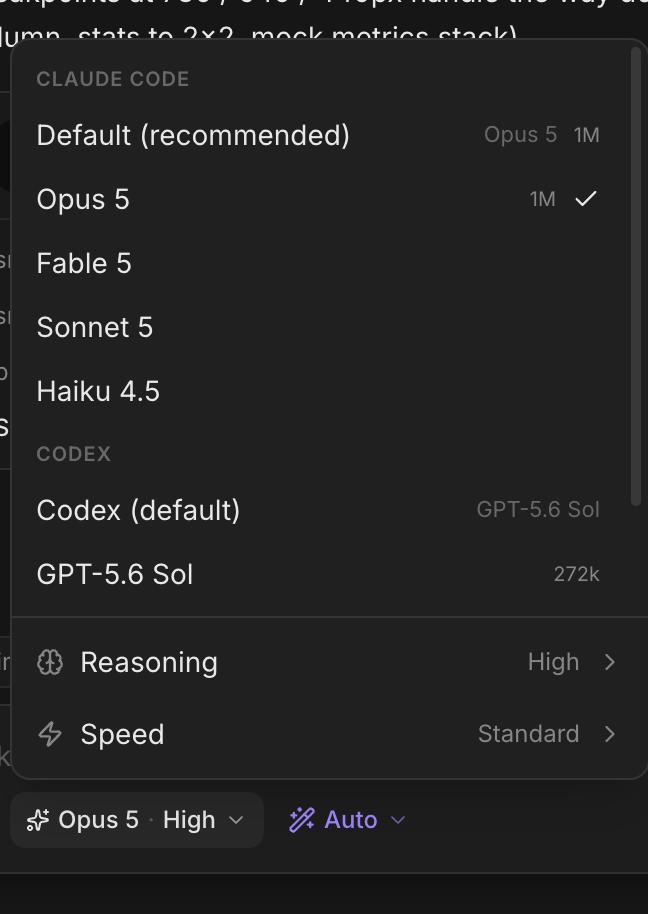
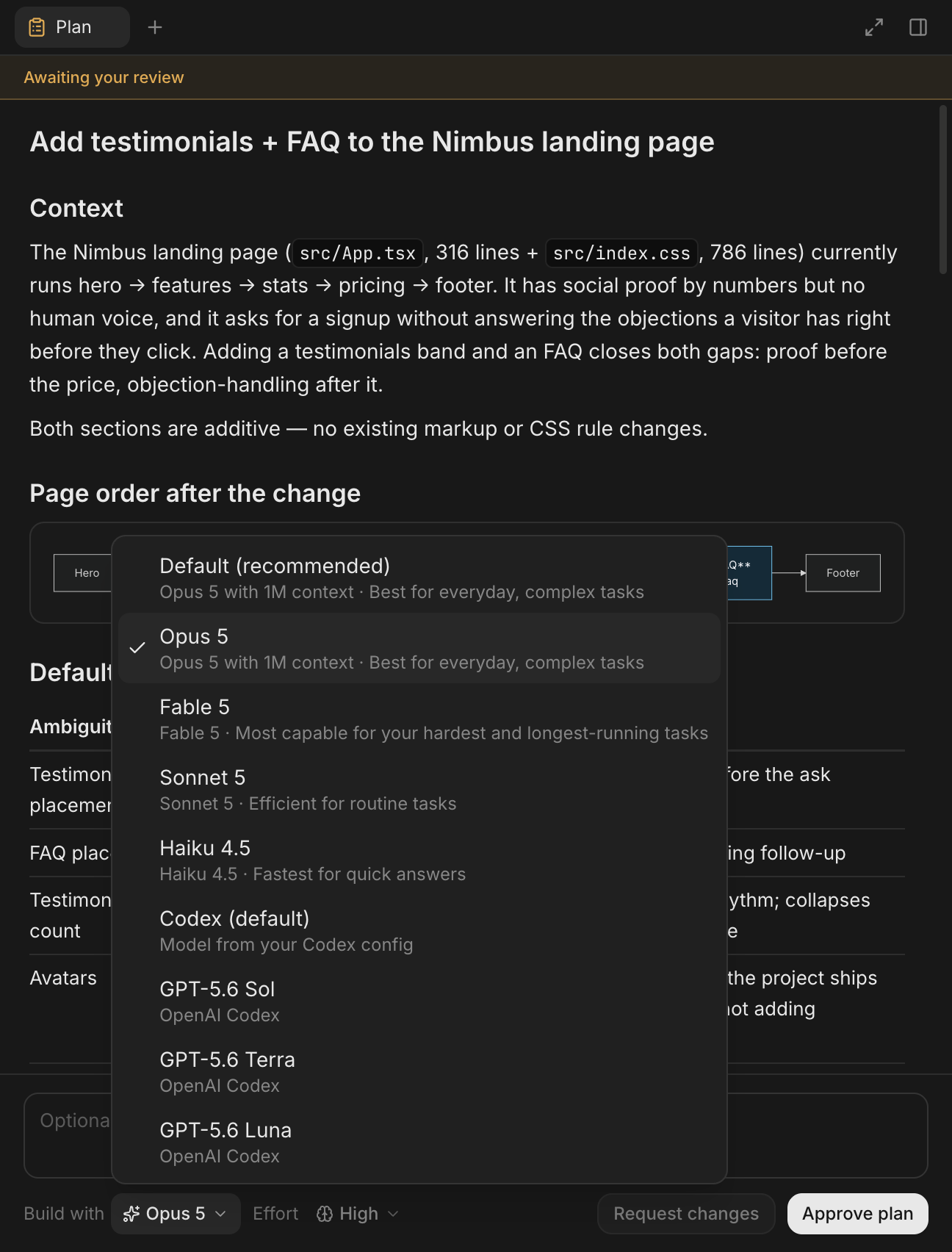
One model plans. You choose who builds.
Plan mode keeps the agent read-only until it hands you a written plan. Read it in the side panel, ask for changes, and when you approve, choose who implements it — the same model, a cheaper one, or a model from either of the other two providers.
Carbon tears down the review, switches backends and hands the plan across verbatim. The plan is the artifact; nothing gets lost in translation.
A browser and a diff, both in the window.
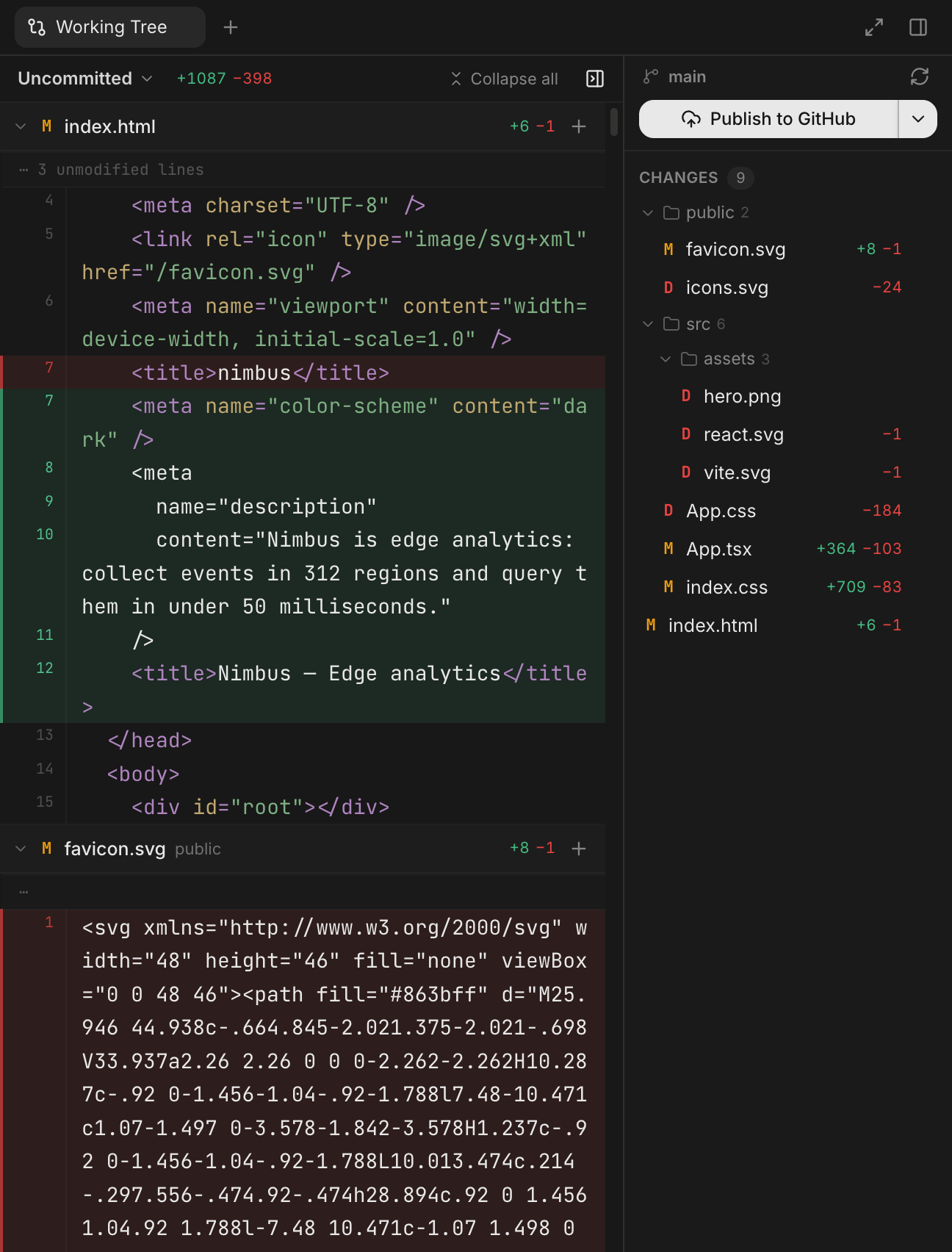
Carbon starts your dev server and renders the result next to the conversation — and it can hand a screenshot straight back to the agent, so “the spacing is off” becomes something it can actually see. When you're happy, the review pane carries a commit → push → gh pr create ladder that already knows which rung you're on.
- A real browser pane — it starts the dev server and reloads itself.
- A diff chip per turn, and an Undo for the edits that turn made.
- Commit, push and open the PR without touching a terminal.
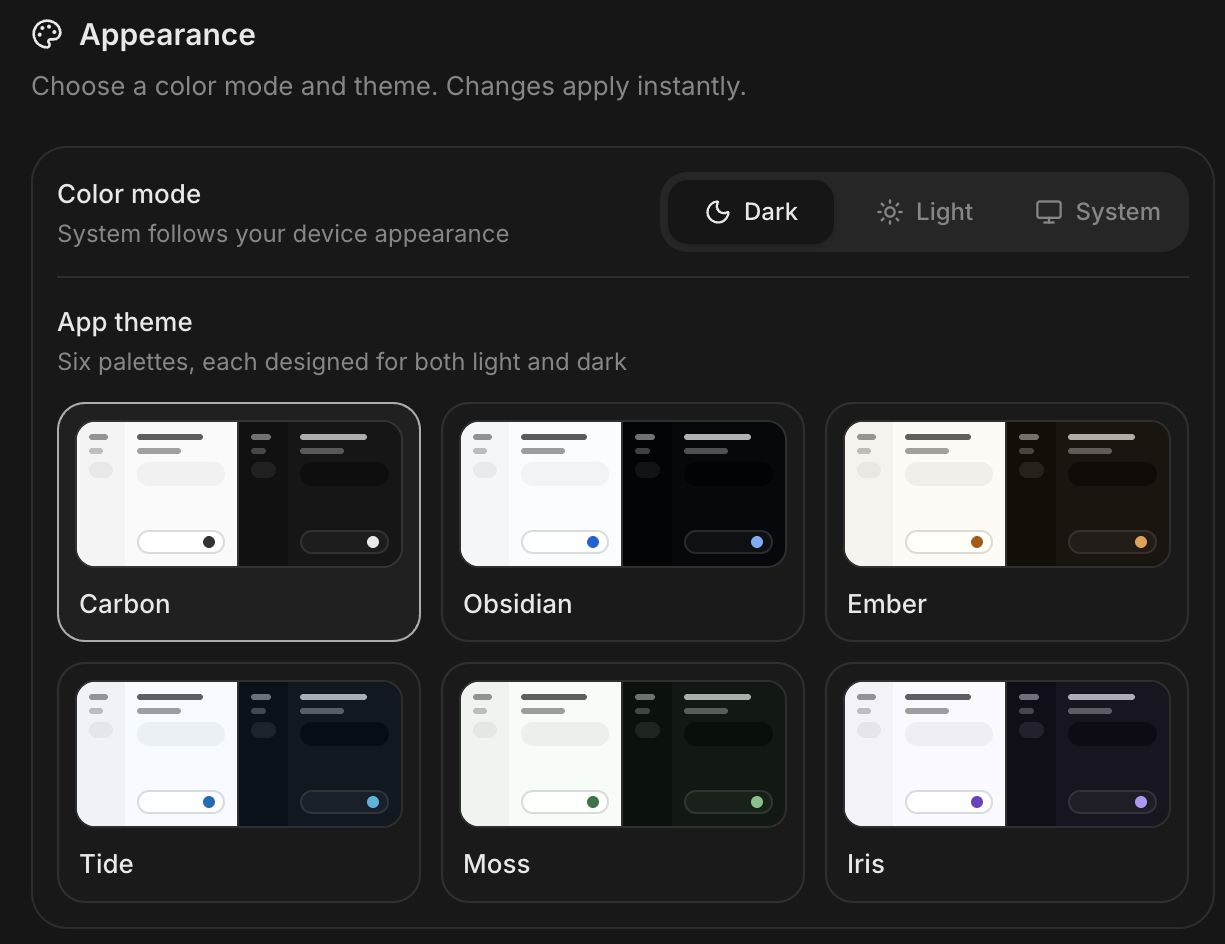
Six themes, authored twice.
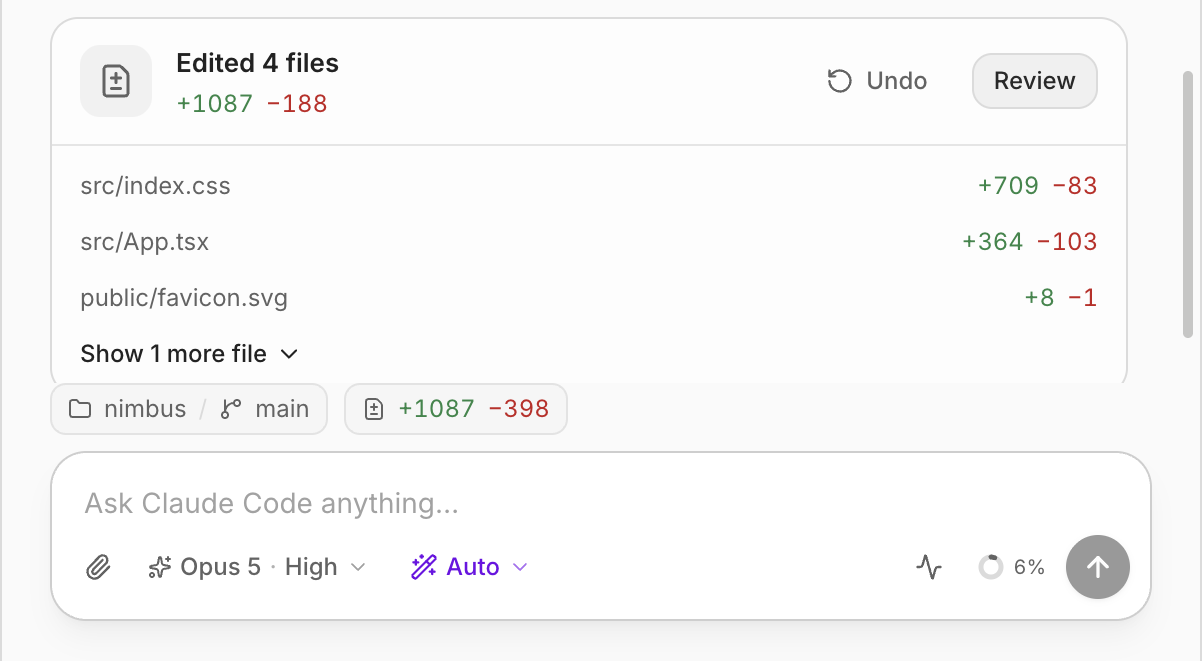
Carbon, Obsidian, Ember, Tide, Moss and Iris — each one drawn for light and dark separately rather than auto-inverted, so light mode is a design and not an afterthought. Frost the sidebar and the desktop blurs through behind it.
Everything else in the window.
The unglamorous parts that make a tool something you keep open all day.
Parallel git worktrees
Point a chat at a new worktree and it gets its own branch and directory. Several agents, no collisions.
Checkpoint and rewind
Jump the conversation back to any message, take a different path, and the files come with it.
Files, editor, terminal
A file tree, a real editor, and a real PTY terminal in the same window as the chat.
Usage and rate limits
Plan headroom in the sidebar, plus a spend breakdown by provider, model, and day.
MCP server status
See which of your configured MCP servers actually connected, and which quietly didn't.
History that survives
Every chat persists to SQLite and resumes exactly where it left off after a restart.
One line, then it's yours.
Carbon ships through its own Homebrew tap. The cask clears the quarantine flag on the way in, so there's no Gatekeeper detour — and it's the route that upgrades in place.
brew install --cask achour/carbon/carbonbrew update && brew upgrade --cask carbonThe brew update is load-bearing: Homebrew only re-pulls a tap once a day, so a bare upgrade can read a stale cask and tell you you're already current. Carbon notices when it was installed this way and shows you the upgrade command in-app when a release lands.
Prefer to build it? It's four commands in theREADME — and an app you compiled yourself never meets Gatekeeper at all.
One contract, three layers.
All three providers live in the Electron main process and normalize into a single event stream, so the UI never knows which agent it's talking to — Claude through its Agent SDK, Codex through the Codex SDK, and Grok, which publishes neither, over ACP. Chats persist to SQLite with incremental, windowed writes — which is why a 36 MB conversation still opens instantly.
Built to be read
No telemetry, no accounts, nothing phoning home. The repo documents its own invariants — persistence, session flow, worktree design — for the humans and the agents working in it.
macOS only, for now
The build config and the update check already handle Windows and Linux artifacts. Nobody has tested them — so if that's your machine, the repo is open.
Fork it. Do whatever you want with it.
Carbon is fully open source. Read it, change it, ship your own build, use it at work, put it in a product you charge for. Keep the licence notice and that's the only string attached — no CLA, no open-core tier, no telemetry, nothing held back.